🤖 Qwen3.6 Local agent test cases
Common user GPU only have 8-16G VRAM.
When the model not fully loaded to VRAM, they have to offload into RAM and processing data with CPU.
This cause local AI system super slow, token generation speed only reach 1-5 token/s.
This paper is writing about test cases and looking for the best configuration for self-host agent.
🤖 Hardware System
Mainboard: Asrock A520M/AC
CPU: Ryzen5 5500 (6C/12T)
RAM: 32G DDR4 3200.
GPU: RTX3060 12G VRAM
🤖 Environment
llama.cpp with Qwen3.6-35B-A3B-MTP-GGUF (IQ4_XS).
Then public the API key to use vscode + pi.dev agent.
The point is Qwen3.6-35B is MoE model, this mean we just need some layers loaded into GPU to use.
llama.cpp provide 2 agruments support MoE: --n-cpu-moe and --cpu-moe.
We need to looking for which one is the best one for local LLM agent.
This is my compose to run llama.cpp:
services:
  llama-cpp:
    image: sandichhuu/llama-cpp:cu132
    container_name: llama-cpp
    ports:
      - 8080:8080
    privileged: true
    ipc: host
    volumes:
      - /mnt/data/files/models:/app/models
    command: >
      -m /app/models/unsloth/Qwen3.6-35B-A3B-MTP-GGUF/Qwen3.6-35B-A3B-UD-IQ4_NL.gguf
      --mmproj /app/models/unsloth/Qwen3.6-35B-A3B-MTP-GGUF/mmproj-BF16.gguf
      --port 8080 --host 0.0.0.0
      -b 4096 -ub 4096
      -t 12 -c 262144
      --parallel 1 -fa on -ngl 999
      --cache-type-k q4_0 --cache-type-v q4_0
      --n-cpu-moe 35
      --no-context-shift
      --no-mmap --direct-io --fit off --jinja --no-cache-prompt --cache-ram 0
    deploy:
      resources:
        reservations:
          devices:
            - driver: nvidia
              count: all
              capabilities:
                - gpu
    restart: unless-stopped
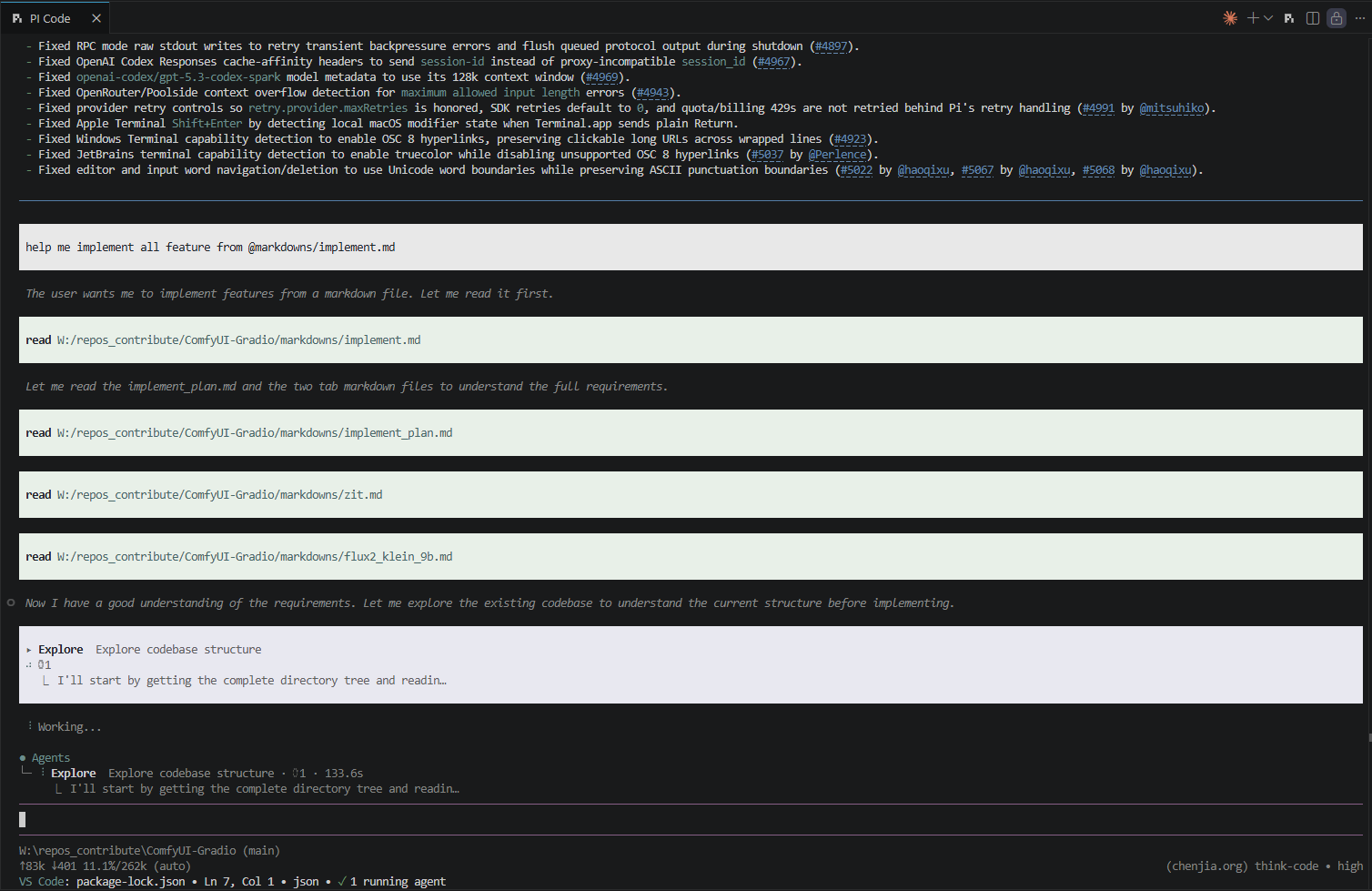
🤖 Test case 1: Use --n-cpu-moe flag
The llama.cpp process consume 16G of RAM and 11G of VRAM.
And graph help understand how it's working.
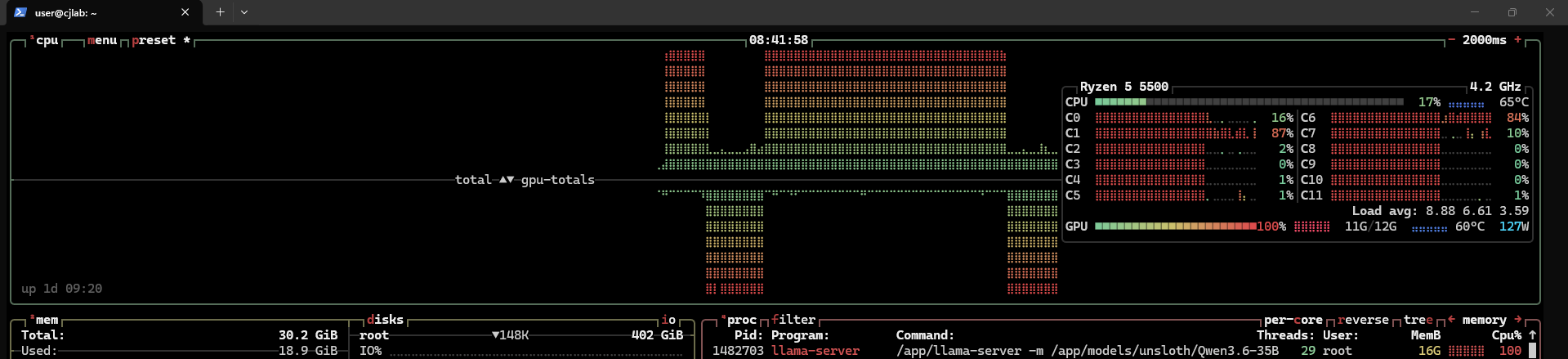
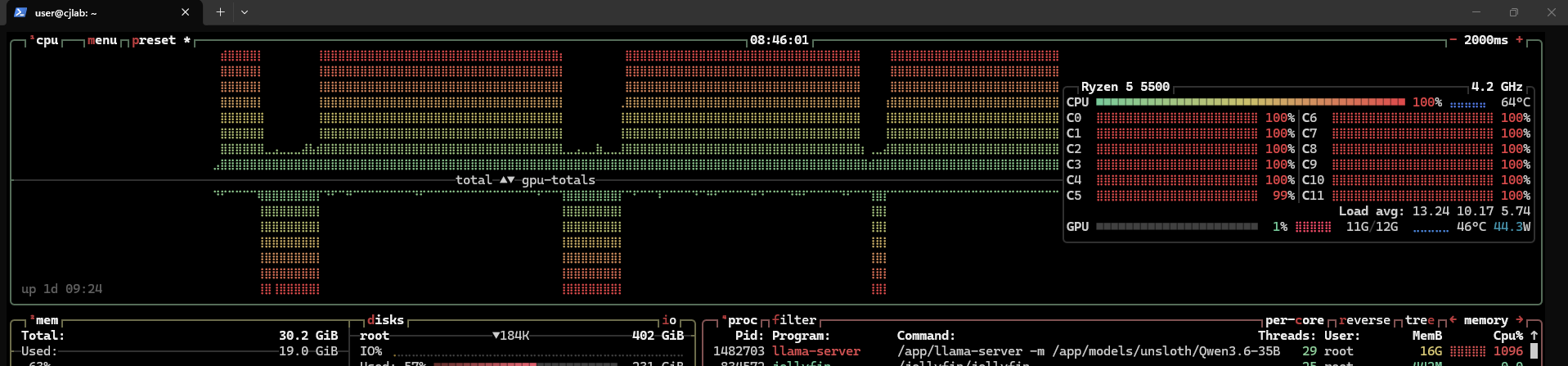
On the case trigger data layers on RAM -> CPU will working, then trigger data layers on VRAM -> GPU will working.
👉 TPS: 14
🤖 Test case 2: Use --cpu-moe
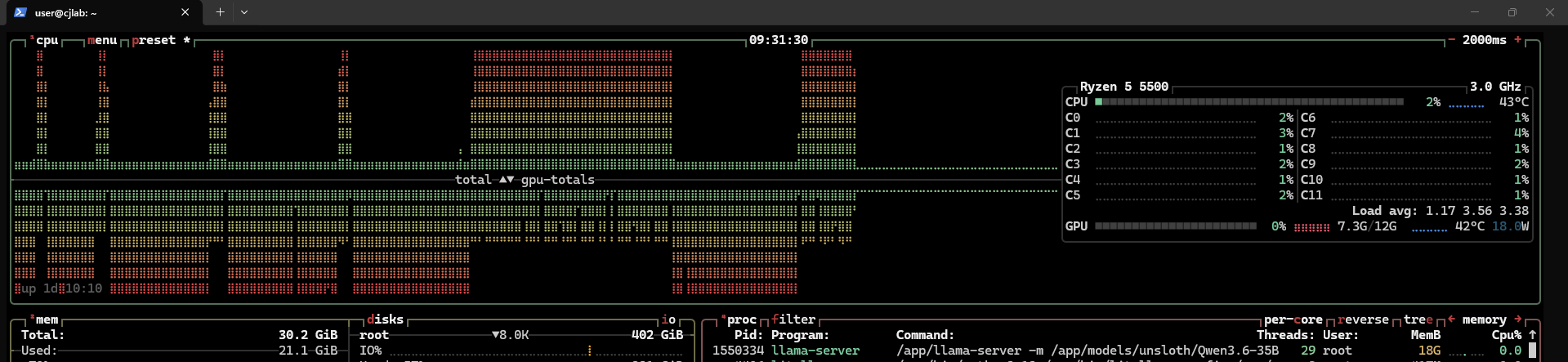
Amazing ! RAM consumption is 18G, but VRAM consumption only 7.3G
The generation is faster and use GPU more than test case 1.
The process still using CPU, but not too much.
👉 TPS: 31

🤖 Test case 3: Use --cpu-moe with MTP.
Now we known that --cpu-moe and -ngl 999 is the best configuration.
MTP is multi-token prediction, this configuration consumpt more VRAM but the speed is faster.
Let's try out.
- First try: Do not success, OOM error.
I tried set ubatch to 2048. It's runnable but only reaching 30TPS and using CPU 100%, GPU 20%.
Not make sense. Then I research and known that llama.cpp has a bug, they not support MTP for Qwen3.6 35B MoE.
Then I found this llama.cpp fork repo: ik_llama, they fixed this bug.
- Second try: TPS: 30 when using ik_llama, I think this one is more complex to configuration.
🤖 Conclusion:
Now I'm pretty sure that case 2 is the best one.
MTP hit 45-60 tps at start, but they slow down time by times and stable at 30 tps after few seconds.
Final compose version:
services:
  llama-cpp:
    image: sandichhuu/llama-cpp:cu132
    container_name: llama-cpp
    ports:
      - 8080:8080
    privileged: true
    ipc: host
    volumes:
      - /mnt/data/files/models:/app/models
    command: >
      -m /app/models/unsloth/Qwen3.6-35B-A3B-MTP-GGUF/Qwen3.6-35B-A3B-UD-IQ4_NL.gguf
      --mmproj /app/models/unsloth/Qwen3.6-35B-A3B-MTP-GGUF/mmproj-BF16.gguf
      --port 8080 --host 0.0.0.0
      -b 4096 -ub 4096
      -t 12 -c 262144
      -fa on --parallel 1
      -ctk q4_0 -ctv q4_0
      --cpu-moe -ngl 999
      --no-mmap --jinja
      --cache-ram 0
      --no-context-shift
    deploy:
      resources:
        reservations:
          devices:
            - driver: nvidia
              count: all
              capabilities:
                - gpu
    restart: unless-stopped