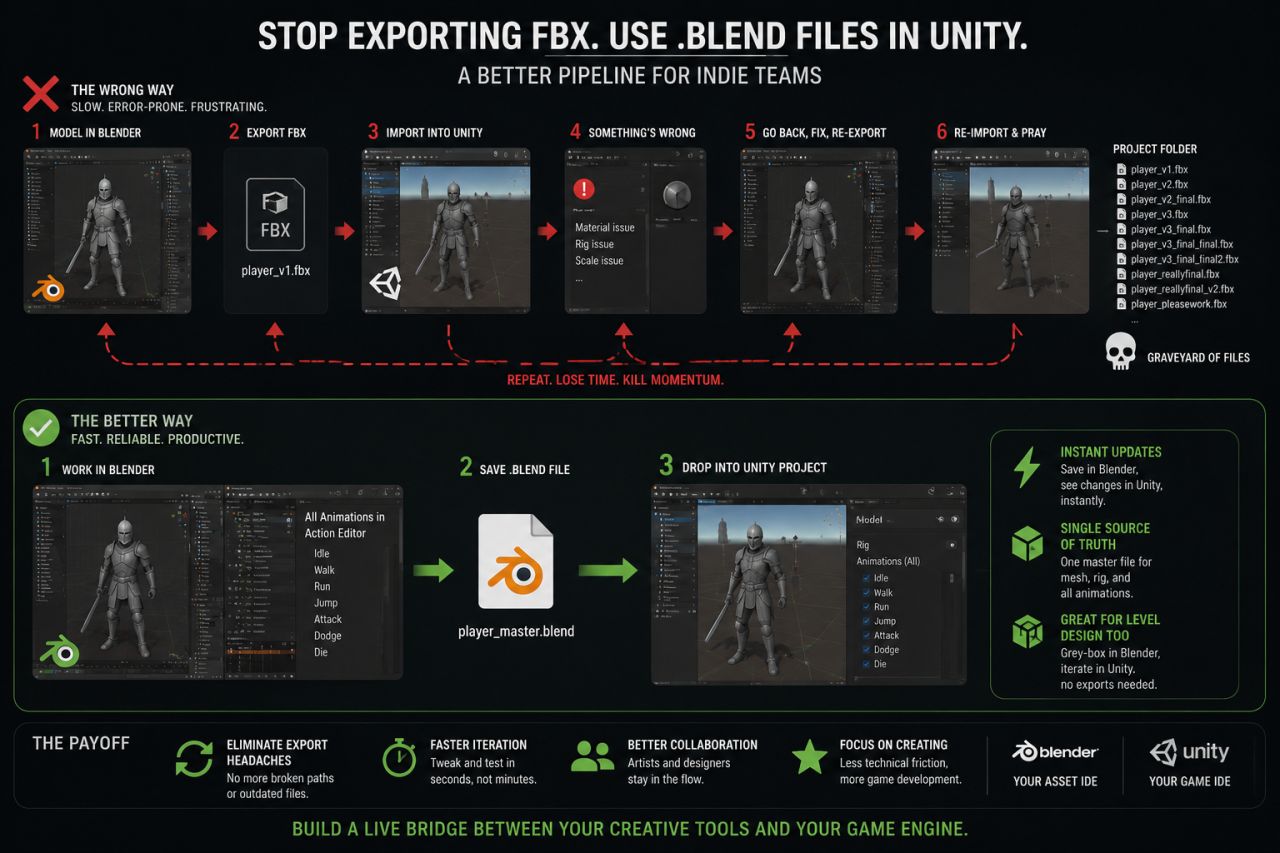
Most indie teams get the Blender to Unity pipeline wrong.
They treat them as two separate worlds. You model in Blender, export an FBX, import it into Unity, set up materials, realize something is wrong, go back to Blender, fix it, re-export, re-import, and pray nothing breaks. Your project folder becomes a graveyard of player_v3_final_final.fbx. It’s a slow, error-prone process that kills momentum.
We ran into this constantly. The friction wasn't in building the assets; it was in the translation between the tools. Hours were lost to simple tweaks.
The fix was surprisingly simple: stop exporting FBX files.
Instead, we started dropping the raw .blend files directly into our Unity project. Unity has a built-in Blender importer that handles this automatically. When you save a change in your .blend file and switch back to Unity, it re-imports the model in seconds.
This completely changed our workflow. Blender stopped being a separate modeling program and became our central asset hub. A single source of truth.
For a character, we'd have one master .blend file. It contained the mesh, the rig, and every single animation stored as a separate Action in the Action Editor. No more managing dozens of individual animation files. In Unity, the importer brings in all the animation clips, and you can split them up and name them right there in the inspector. Need to tweak an idle animation? Open the master file, adjust a few keyframes, hit save. Done. The change is live in Unity instantly.
It gets better. You can use this for level design, too. We started grey-boxing entire levels in Blender using simple primitives. By saving that .blend file in our Unity project, we could iterate on the level layout and see the changes in-engine immediately, without a single export step. It’s perfect for rapidly testing scale, sightlines, and player flow.
This approach forces a certain discipline. You have to keep your Blender files clean and organized. But the payoff is huge. You eliminate an entire category of bugs related to broken file paths and outdated exports. Your artists and designers can work faster because the feedback loop is almost instantaneous. You're not just moving files around; you're building a live bridge between your creative tools and your game engine.
Blender becomes your asset IDE. Unity is your game IDE. They're meant to work together, not just hand files off to each other.
What's the one trick in your own asset pipeline that's saved you the most headaches?