🖼️ Fix Black Image / Video Output in ComfyUI When Using SageAttention
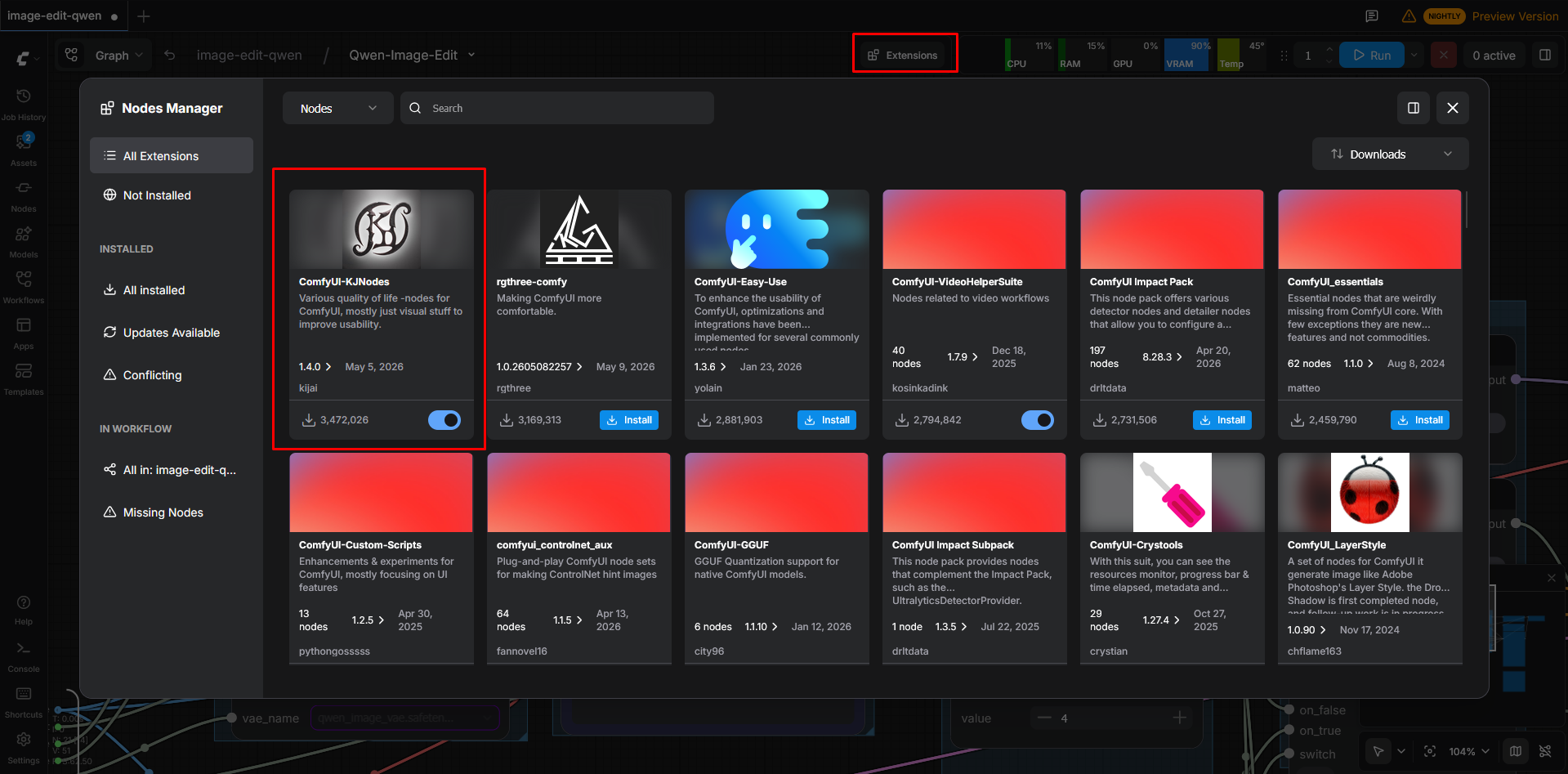
1. Install ComfyUI-KJNodes
- Open Extensions in ComfyUI.
- Search for
ComfyUI-KJNodes. - Install the package.
- Restart ComfyUI after installation if required.
2. Patch SageAttention Correctly
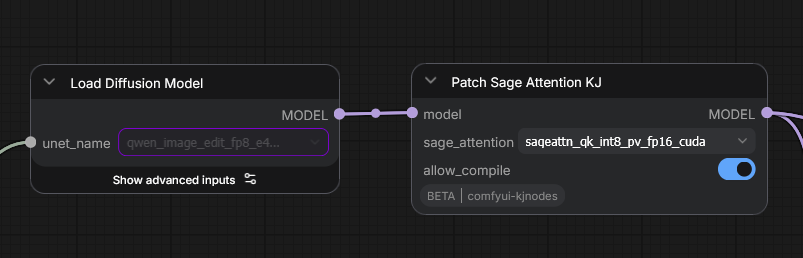
After loading your model and LoRAs, you must add the node:
Patch Sage Attention KJ
Then select one of the following modes:
sageattn_qk_int8_pv_fp16_tritonsageattn_qk_int8_pv_fp16_cuda
Important Notes
- The patch node should be applied after loading the checkpoint/model and LoRAs.
- Using the wrong SageAttention backend may result in completely black outputs.
- If one backend does not work on your system, try the other option.
Recommended Order
Load Checkpoint
    ↓
Load LoRA(s)
    ↓
Patch Sage Attention KJ
    ↓
Sampler / Generation Nodes
This issue is commonly related to unsupported or unstable SageAttention kernel configurations on certain GPU, CUDA, or PyTorch combinations.